
The era of Flodesk Studio
Flodesk (one of my favourite email platforms) just launched something new.
And when I say new, I don’t just mean something new for Flodesk, something new for email newsletters.
Flodesk Studio is a brand-new email design app, built by real human designers, boosted by AI, where you can quickly and efficiently generate newsletter that can then be finished by the user. And quite frankly, it’s game changing. You describe what you want, enter in a prompt, then Studio brings it to life using your branding and your voice. You also get to make the tweaks you want. It doesn’t create a flat image, it creates a proper email newsletter that is easy to make changes to.
You can also choose from prebuilt prompts, so you’re not looking at a blank screen. Use the prompts, amend to suit your needs and hit go.
The mega thing? You can use the newsletter Studio generates inside Flodesk OR you easily export the HTML to any provider - Mailchimp, ConvertKit, Beehiiv, whatever you're currently using.
I know right. And whilst it’s in beta, it’s free. YES FREE.
So, whats included?
There’s loads of features within Studio, but here’s just a handful of my faves:
pre-made brands to start with if you don't already have your business brand locked down
Prompt to create gets you ~80% of the way there, add in your own specifics making it really easy to get started.
The Flodesk Studio platform generates three types of emails (visual, banner, and plain text) so you can chose what you want to use as the baseline of your newsletter.
It can store detailed brand information. This makes it really easy to keep your newsletter looking super smart and on-brand.
Works best with Flodesk, but you can also use it with your ESP of choice
Drag-and-drop stickers which you can move freely and rotate, bringing in a real point of difference to your newsletters, so it looks like an actual designer had a hand in your newsletter (which, really, they have)
Tons of fresh, modern layouts
Lots of sticker shapes and image shapes again, bringing in a real different design for your newsletters that translates across your esp (if you’re not using Flodesk).
It’s being built live — Flodesk are inviting feedback from partners, so we are shaping the development of the platform.
Flodesk really is an innovative, female heavy business. You can tell by the interface, and the innovation that everything they do is so well thought out.
So how easy is it, really? I gave it a test drive.
This summer I’m sharing a Summer List Build Challenge (you’re the first to know btw, join here if you’re interested). I’ve been working on the content so had quite a lot of info to share with Studio, so I thought I’d give it a whirl to give you an insider look at how it works.
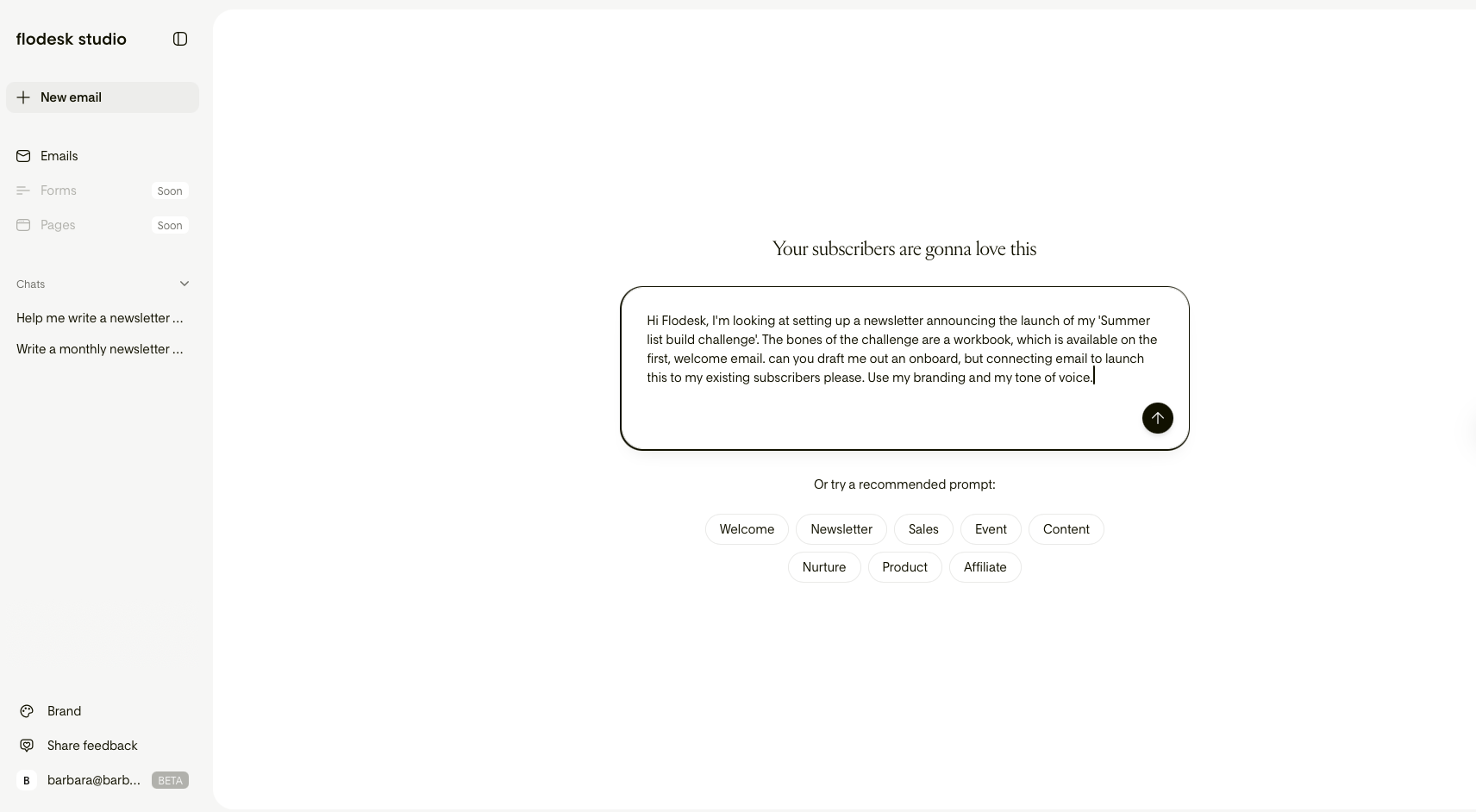
So first up, this is what the app looks like on desktop. Quite similar to other AI platforms, with your history down the left hand side and a prompt box in the centre.
You can also select one of the recommended prompts, it’ll ask you for more info to tailor your output, but its a really great place to start if you’re looking for inspiration.
I knew exactly what I wanted, I popped in my own prompt:
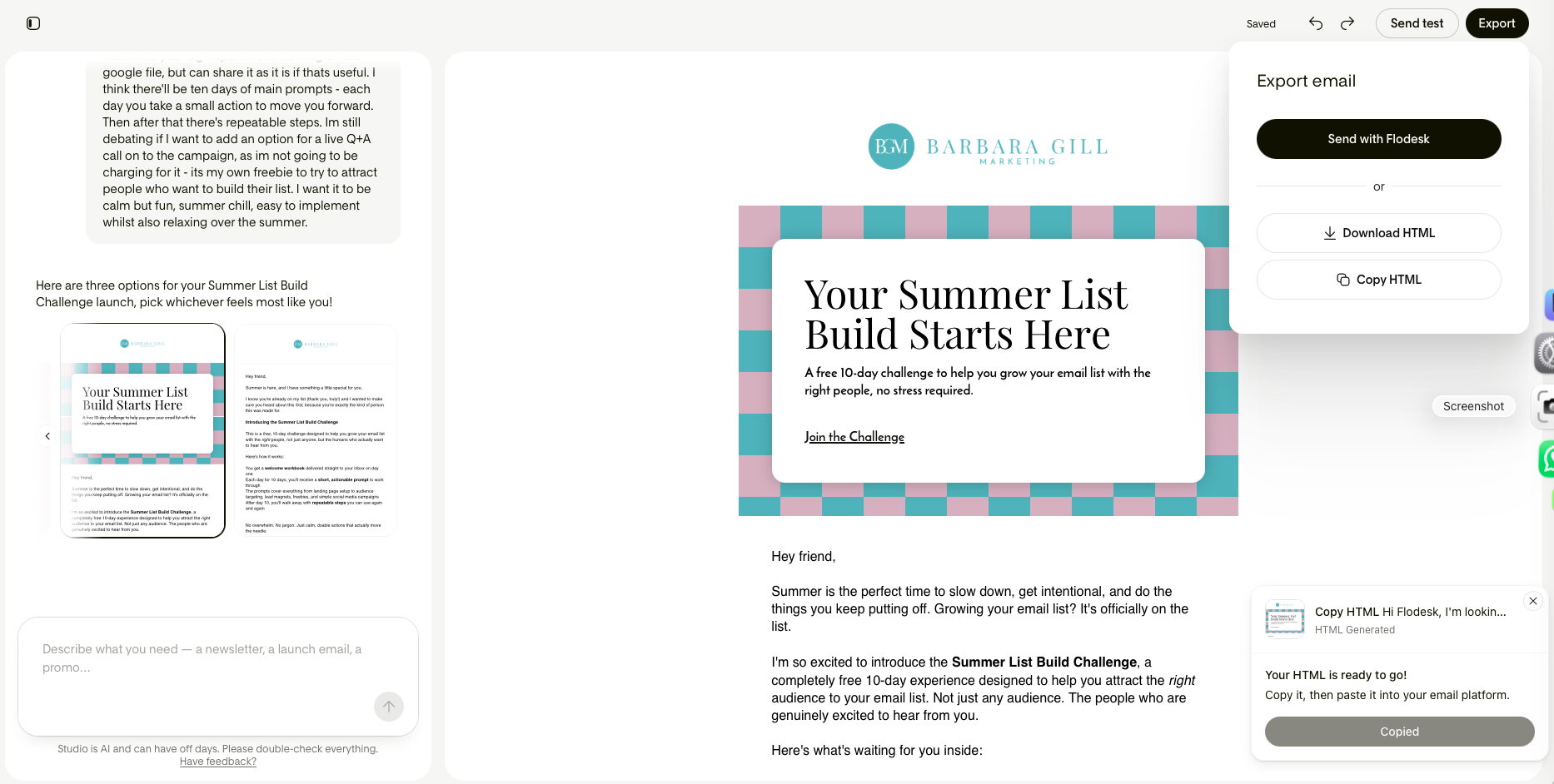
The studio came back and asked me for some clarification (you can see in the chat on the left).
Then Studio generated three options for me to choose from, which again you can see on the left.
The default options are:
a visual design, bringing in fun graphic elements, stickers and design led blocks that you can move around.
a banner design, your classic, header, middle and footer layout.
a plain text design.
I chose the banner design, as it was kinda an elevated version of my standard newsletter: perfect for this new launch!
Then I could jump in make tweaks to the copy, move things around until I was super happy with the design and content.
I added in the relevant links, amended the copy so it sounded like me.
If you’ve used any ESP before, you’ll find Studio a breeze to use. Its a visual builder, and really intuitive and easy to use.
If I was using Flodesk to share my newsletter, I could hit export (top right of the interface) and then send with Flodesk.
I use Mailerlite for my own business emails, I chose to Export then chose download HTML, to grab the HTML to bring across, which again was super easy to do.
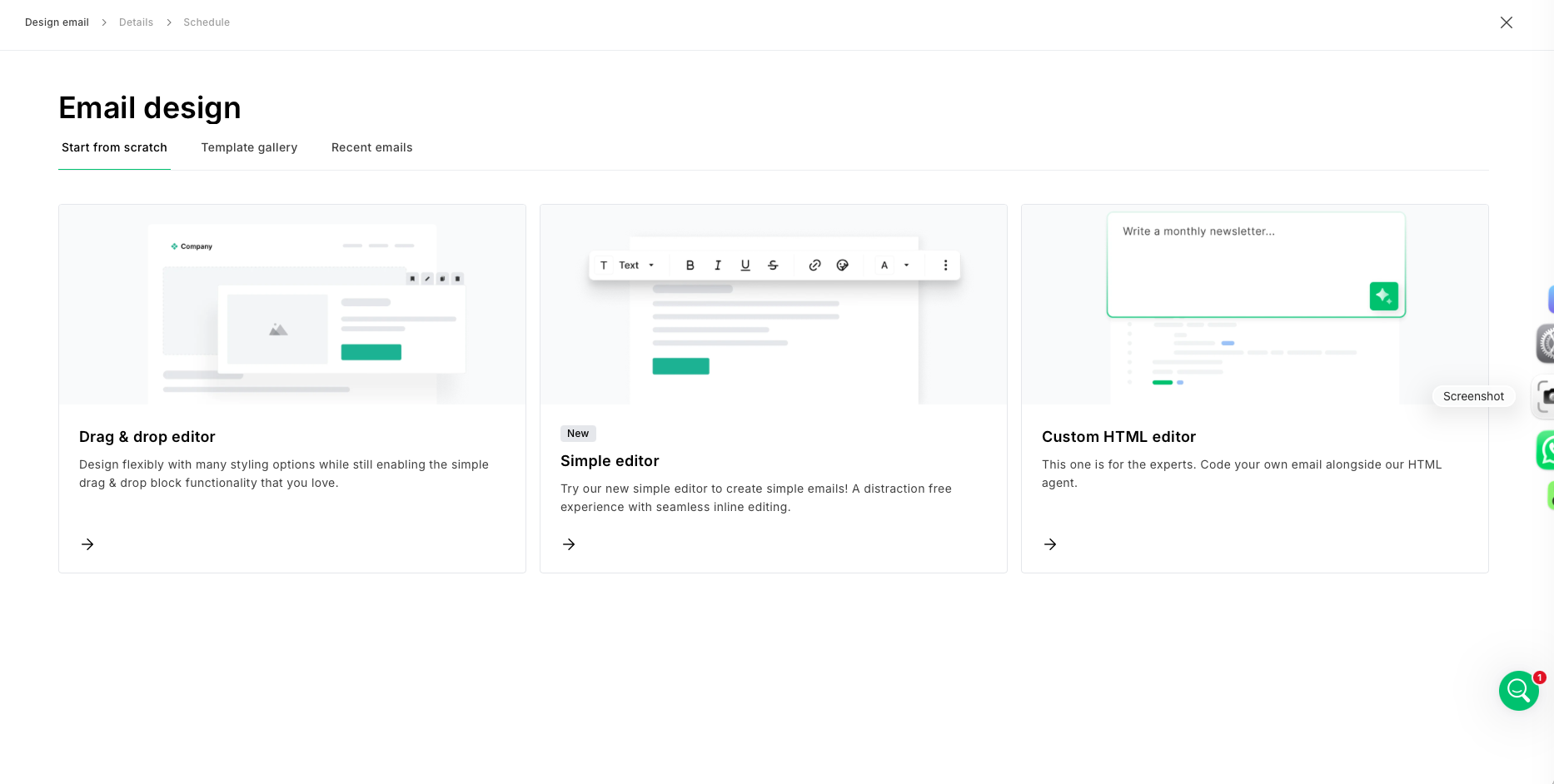
Then, jumping into Mailerlite I worked through the new campaign send, and chose the custom HTML editor option.
I pasted the downloaded HTML from Flodesk Studio:
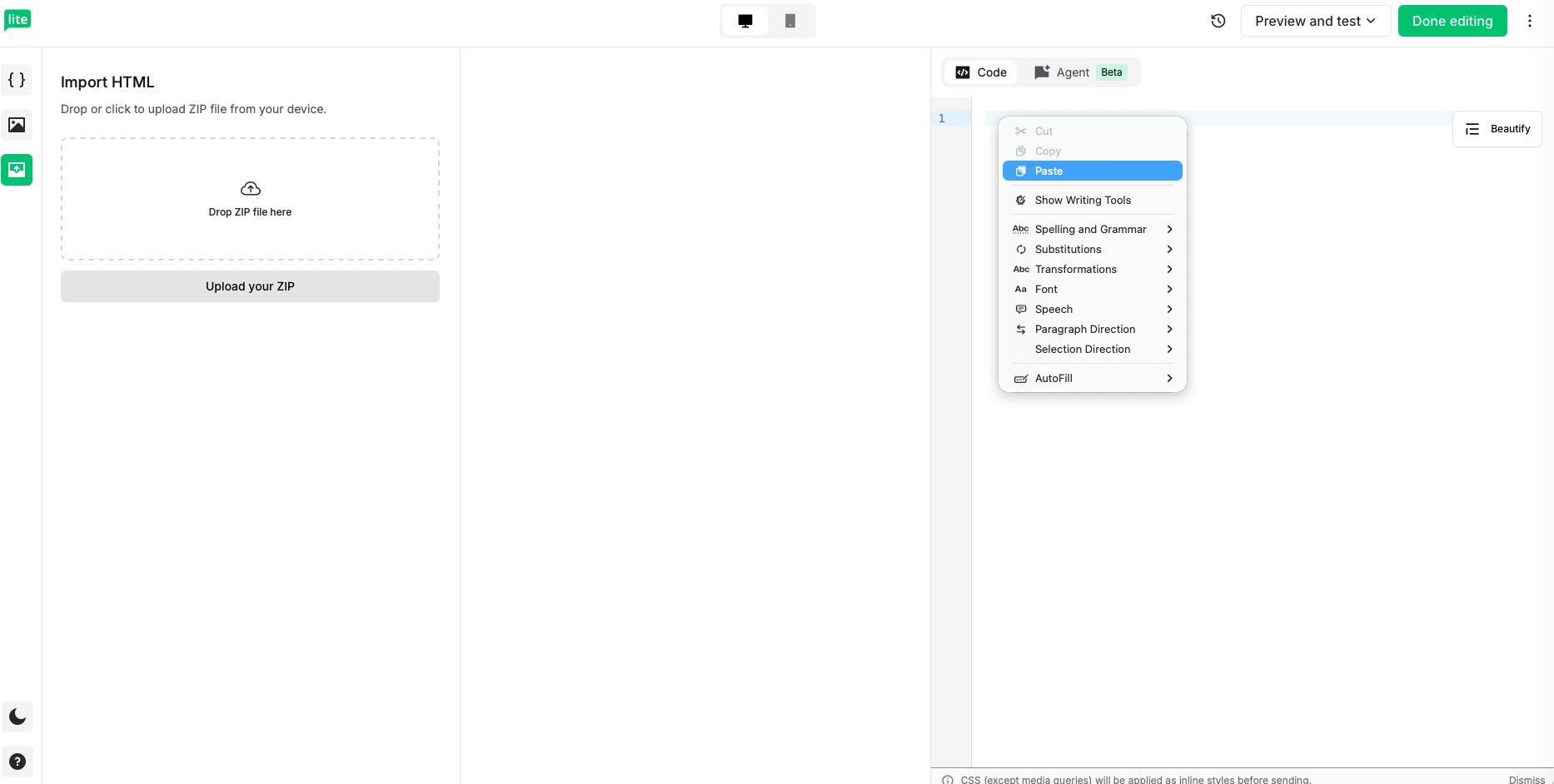
Then as you can see the beautifully on brand design translated perfectly across with just a few clicks of a button:
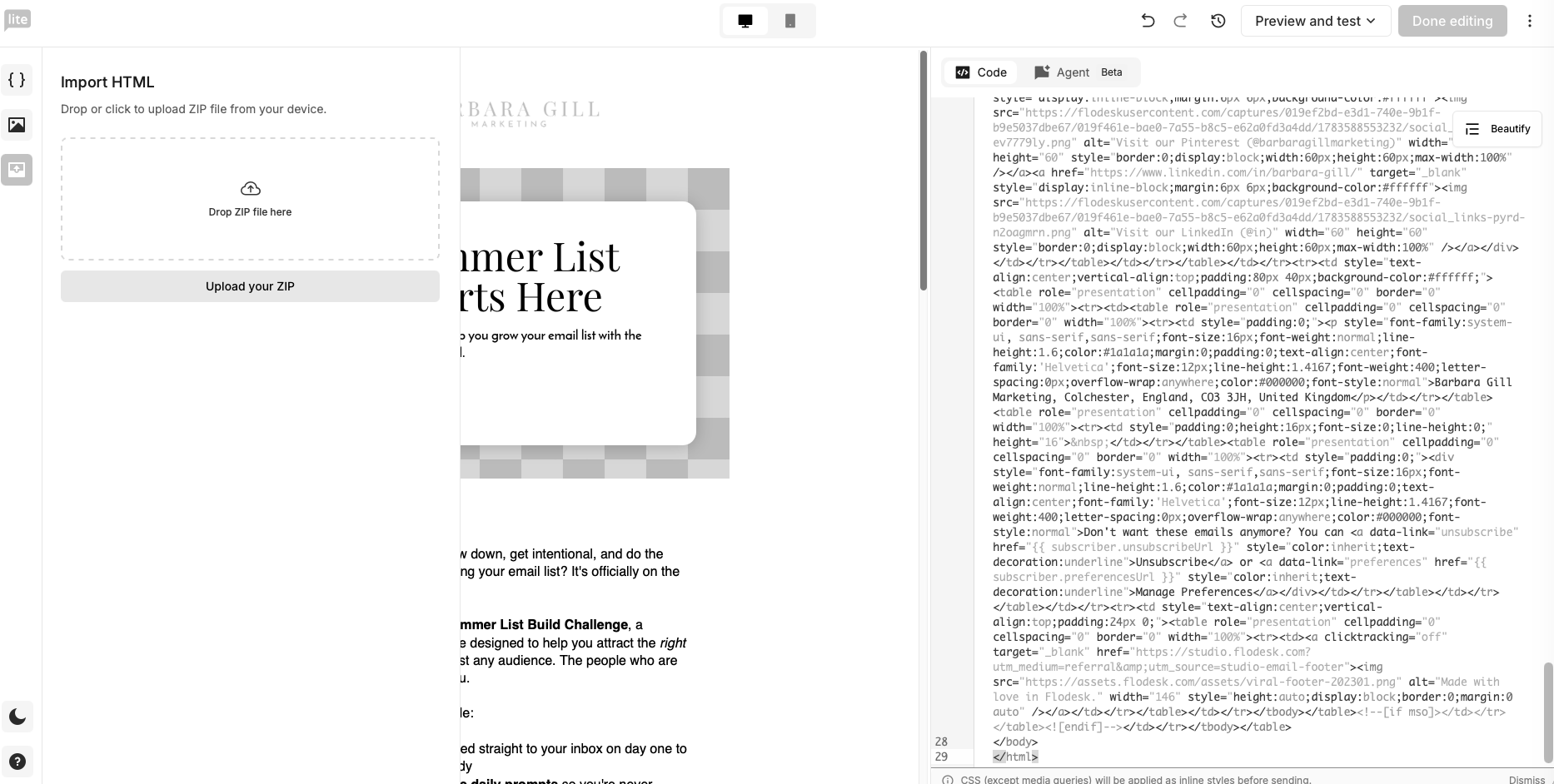
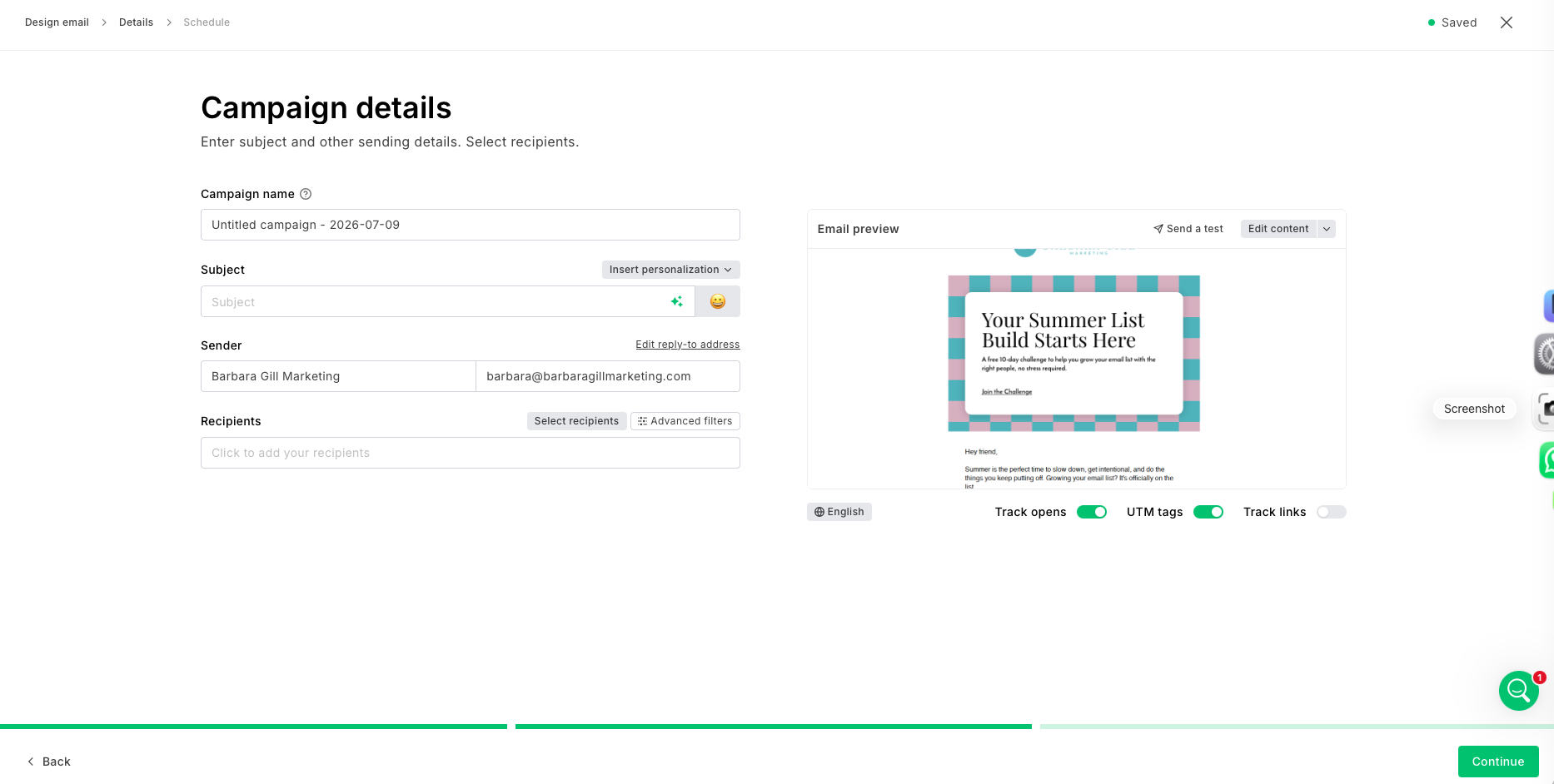
I could then check through any errors, for example, the I needed to reimport the Mailerlite unsubscribe field, to ensure I was GDPR compliant. I then head over to the schedule the campaign in Mailerlite.
Even if you’re not currently using Flodesk for your newsletter, Flodesk Studio (even in beta) is a really powerful tool.
Flodesk Studio has brought together brilliant design elements, from real designers, with an AI acceleration, making this a truly unique system to work on. And I’m really impressed.
Your drafts are saved, and Flodesk are working hard to create templates as well as forms and pages, which are coming soon to Flodesk Studio.
This app is a fab option for DIY email newsletters, giving non designers so much more power without having to sub their newsletters out to an email pro, which I know isn’t always a viable financial option.
If you’d like to give Flodesk Studio a go, for free (while its in Beta at least), head to Flodesk Studio here.
If you have any questions or feedback on the Flodesk Studio app, just drop me an email barbara@barbaragillmarketing.com and I’ll be sure to pass it to the brilliant team at Flodesk.
*This content was created as part of an ongoing partnership with Flodesk, but all opinions are honest and content is my own.