
Should you use Canva to design your email newsletters?
In a word, no.
But let’s get into why.
Firstly, if you weren’t aware, there are a bunch of email newsletter ‘templates’ available on Canva.
I’ve seen quite a lot of chatter about using them as an easy and quick way to craft newsletters.
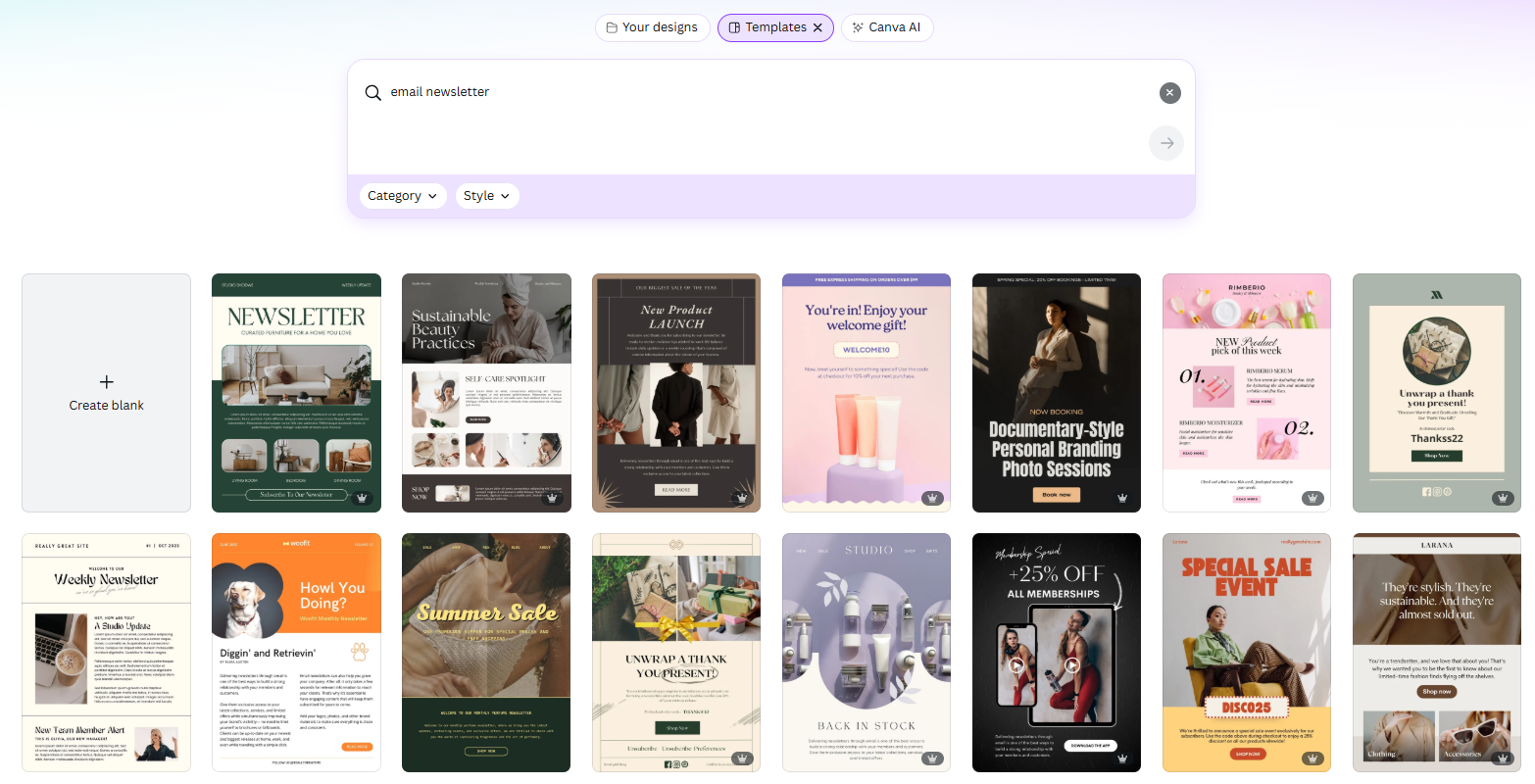
They look pretty swish, right? And I get the temptation.
You want to send beautifully branded emails that look great. But (in all honesty), email newsletters don’t have to be beautiful. They have to look smart and aligned with your brand. But they also have to work hard for your business.
The issue with using canva isn’t about the way they look, it’s the way you can use them within your email platform. When you download one of these for Mailerlite, these are the options you get:
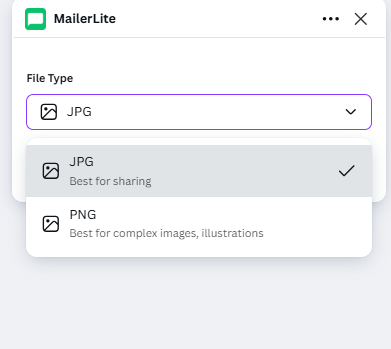
So you can design a beautiful looking email, but only export it as a single image.
Which isn’t great for email for a number of reasons:
Size: I’ve talked before about keeping your newsletters out of junk, and one of the ways to do this is to include smaller, optimised images. If you’re bringing in a whole design that you want to be legible, it’s likely to be large, trigger spam filters and go straight to junk. So no one will see it and you’ll damage your sender reputation.
It won’t be responsive for mobile users. Over half of all emails are read on mobile devices, so sending a one-image email that is barely readable on mobile means you’ll be missing out.
Limited accessibility. Not including readable content for screen readers ignores those with visual impairment.
You can’t add in personalisation or dynamic content such as gifs.
Limited tracking. If all of your content is embedded into one big image, you only have one opportunity to include a link.
If your reader is in a bad wifi zone they’ll see an empty email.
So what can you do instead?
I’m not saying don’t use Canva to build images within your email. It’s a great tool to create graphics easily.
But instead of creating your whole email in Canva and then importing it do this:
Bring your brand colours into your email platform
Choose a font that is most similar to the font you use on your website or on socials
create a master newsletter template using the builder tool within your email platform
Bring in blocks of content that will be responsive and sit beautifully with your branding
If you want to use headings using a fancy font, create these in Canva and bring them in as image blocks
If you’re new to email newsletter set up and the above sounds baffling, I have resources to guide you as part of my Freebie in 5 days downloadable programme.
The other alternative is to pass the set up to a marketing pro… ehem, me. I can set up your Mailerlite, Mailchimp or Flodesk account, build you an easy-to-use, but responsive newsletter template that looks like it came from you. Check out my case study page here or drop me an email to talk about your Done For you Project.